Settings, Billing & Credits
Manage your account, organization, billing, and credits. Understand the pay-as-you-go credit system with no subscriptions or hidden fees.
Navigate to Settings
Click the gear icon in the sidebar to open Settings. The page has tabs: General, Account, Organization, Billing, Usage, Notifications, Trust Center, and API Keys.
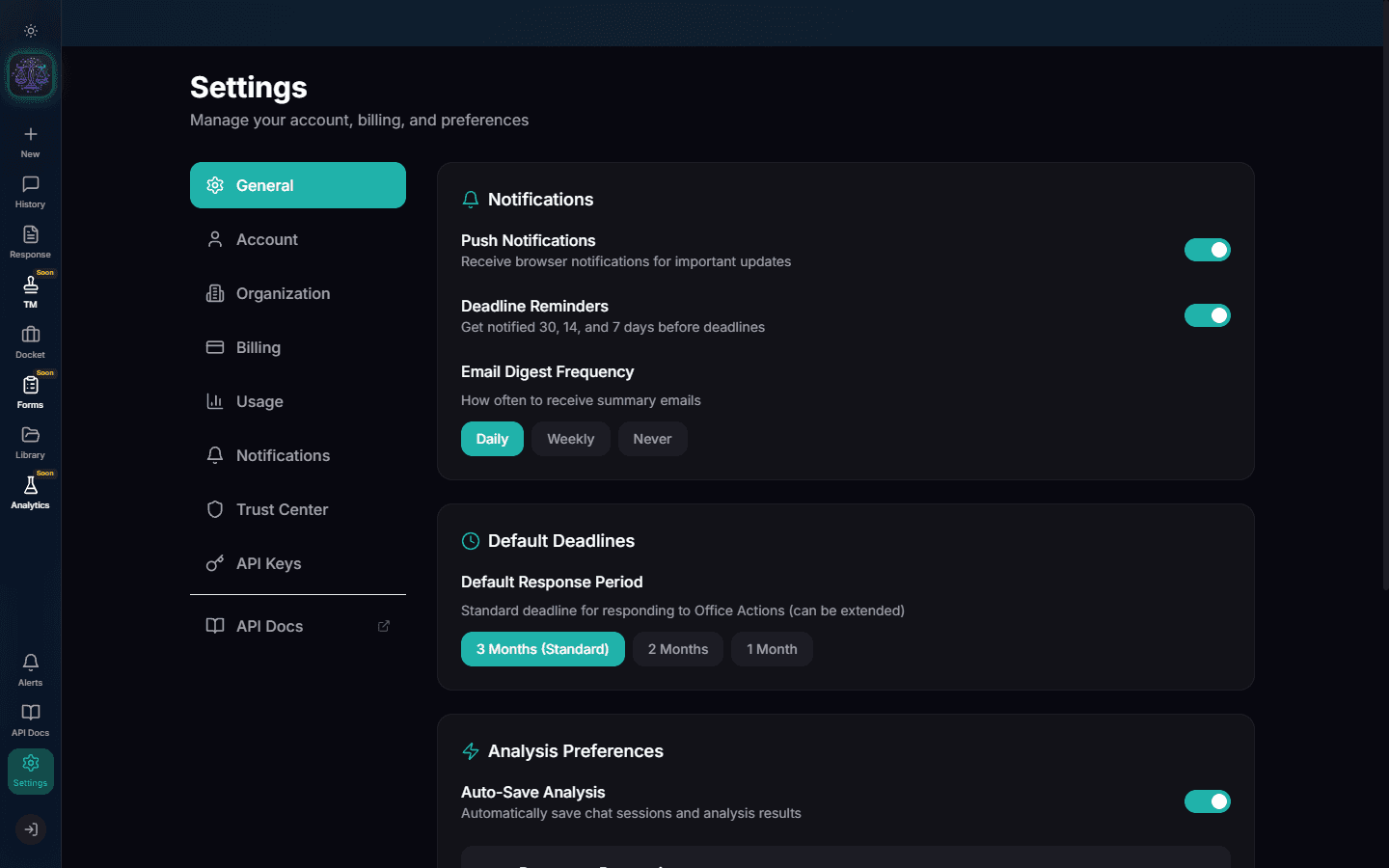
General Preferences
The General tab controls display preferences: theme (dark/light), default panel layout, and notification preferences. Changes are saved automatically.
Account Settings
The Account tab shows your profile information, email, and security settings. You can update your display name and manage your authentication method (email/password or Google SSO).
Organization Management
The Organization tab lets you manage team access. Add team members by email, set roles (Admin, Attorney, Paralegal, Viewer), and control who can approve forms or access billing.
Purchase Credits
The Billing tab shows your current credit balance and purchase options. Credits start at $25 (no subscription). Volume purchases include bonus credits: $100 gets $15 bonus, $250 gets $40 bonus, $500 gets $75 bonus.
Note
Credits never expire. Buy when you need them, use whenever you want.
Pro Tip
The $500 tier gives you $575 in credits -- a 15% bonus. Best value for active practitioners.
Monitor Usage
The Usage tab shows a detailed breakdown of your credit consumption: per-analysis costs, form generation costs, and export costs. Charts show usage trends over time.
API Keys
The API Keys tab lets you generate keys for the OpenClaw API. Use these to integrate Abigail into your existing tools and workflows. Keys can be regenerated or revoked at any time.
Try It Yourself
Put what you learned into practice. Start free with $25 in credits.