Document Library & Prior Art Search
Upload, organize, and search your patent documents with AI-powered semantic search. Build a prior art library that Abigail uses to enhance every analysis.
Navigate to the Library
Click "Library" in the left sidebar. The Library page shows your uploaded documents organized by type: Office Actions, Prior Art, Specifications, and other categories.
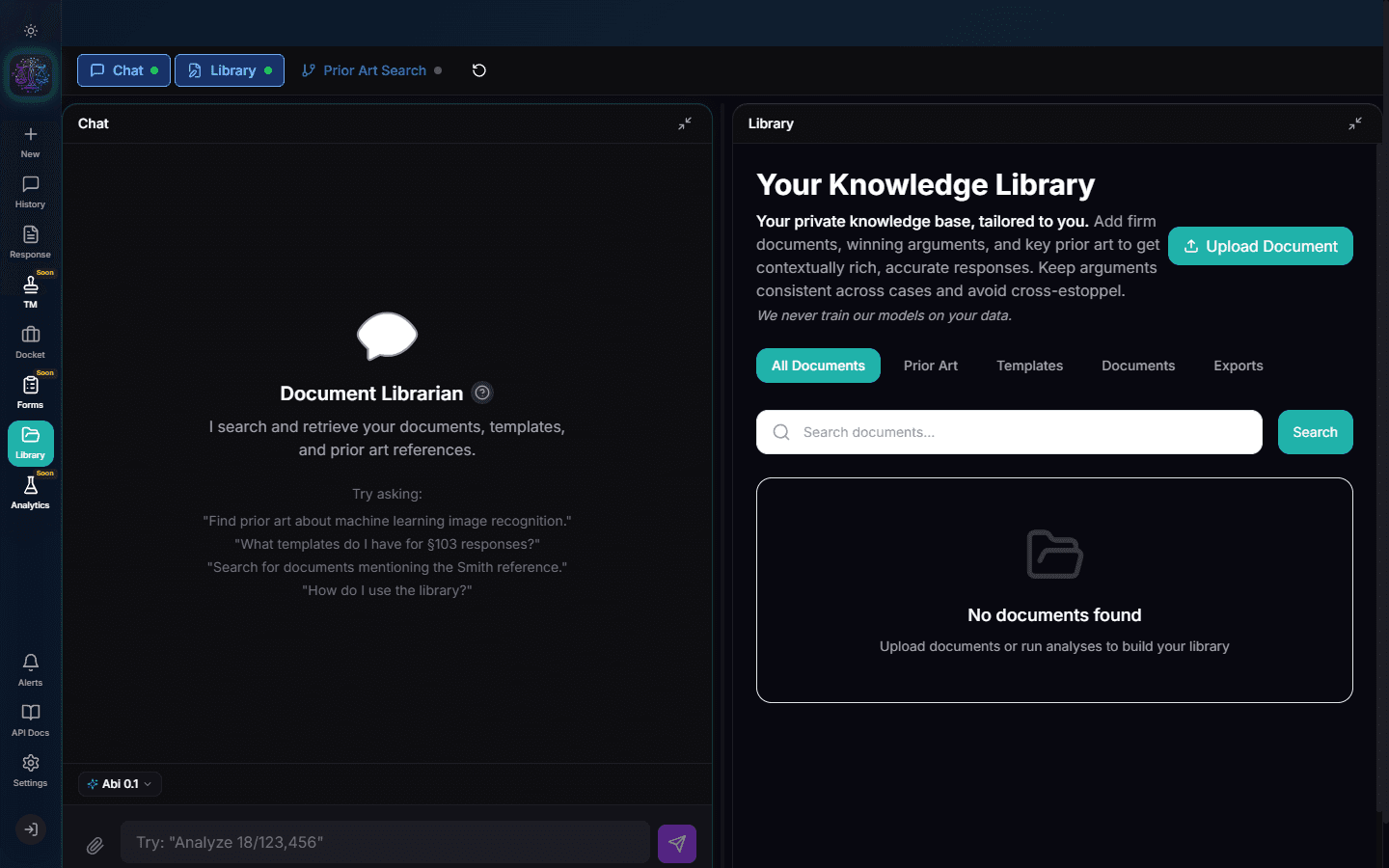
Upload Documents
Click "Upload" to add documents to your library. Drag and drop files or click to select. Supported formats include PDF, DOCX, and plain text. Batch upload is supported -- drag multiple files at once.
Note
Uploaded documents are automatically vectorized for semantic search. This process takes 1-2 minutes per document.
Semantic Prior Art Search
Use the search bar to find relevant documents using natural language. For example, search "methods for detecting wireless signals in IoT devices" and Abigail returns documents semantically related to that concept, even if they use different terminology.
Document Viewer
Click any document to open it in the inline viewer. The viewer supports PDF rendering with zoom, page navigation, and text selection. For DOCX files, a rendered preview is shown.
Link Documents to Cases
Documents can be associated with specific cases. When you analyze an application, Abigail automatically considers documents linked to that case for prior art mapping.
Library Statistics
The library dashboard shows total storage used, number of indexed documents, vectorization status, and recent uploads. Monitor your library health to ensure all documents are searchable.
Try It Yourself
Put what you learned into practice. Start free with $25 in credits.